
01
Group projects
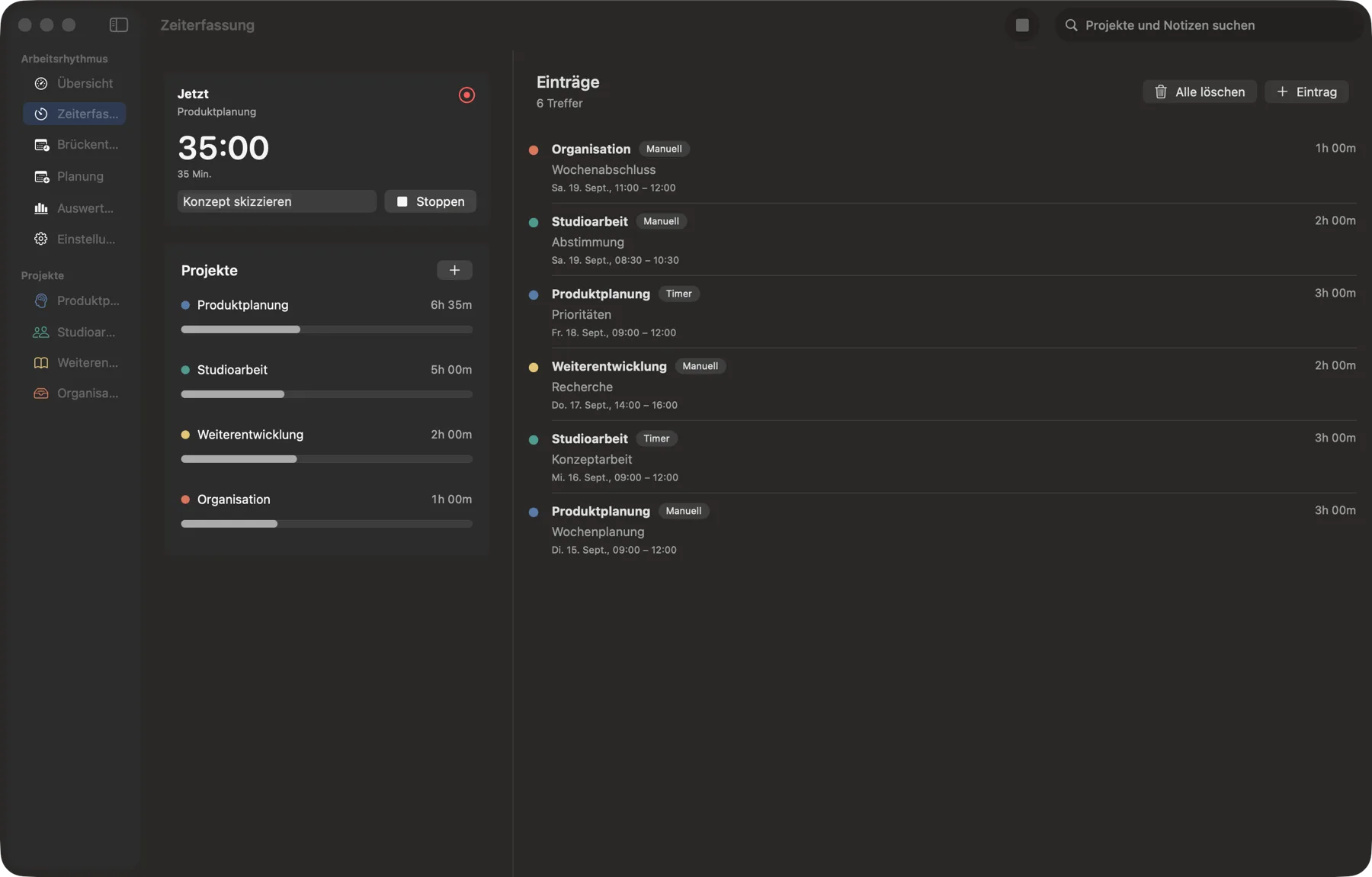
Your own projects, categories and weekly goals bring structure to your work.
macOS · beta access on request
Own Your Beat brings project time, weekly goals and clear reports into a calmer workday – with bridge-day and leave planning when you want to make room for time off.
Your work rhythm
From the first task to the end of the week, you can see what you have worked on and what remains ahead.
Your own projects, categories and weekly goals bring structure to your work.
Start a timer or add time manually. Your current progress remains visible.
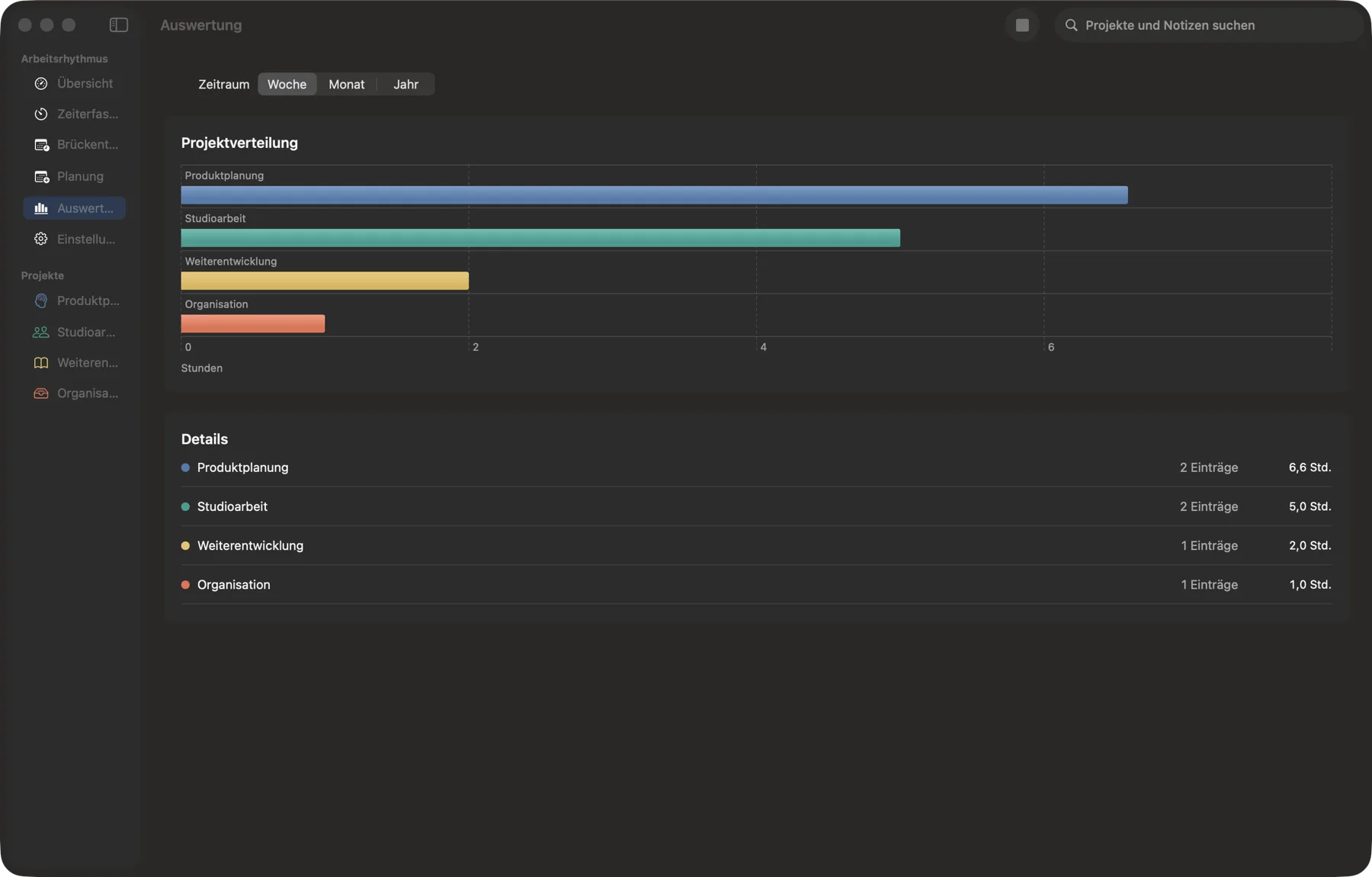
Compare project time clearly across the week, month and year.
A clear overview
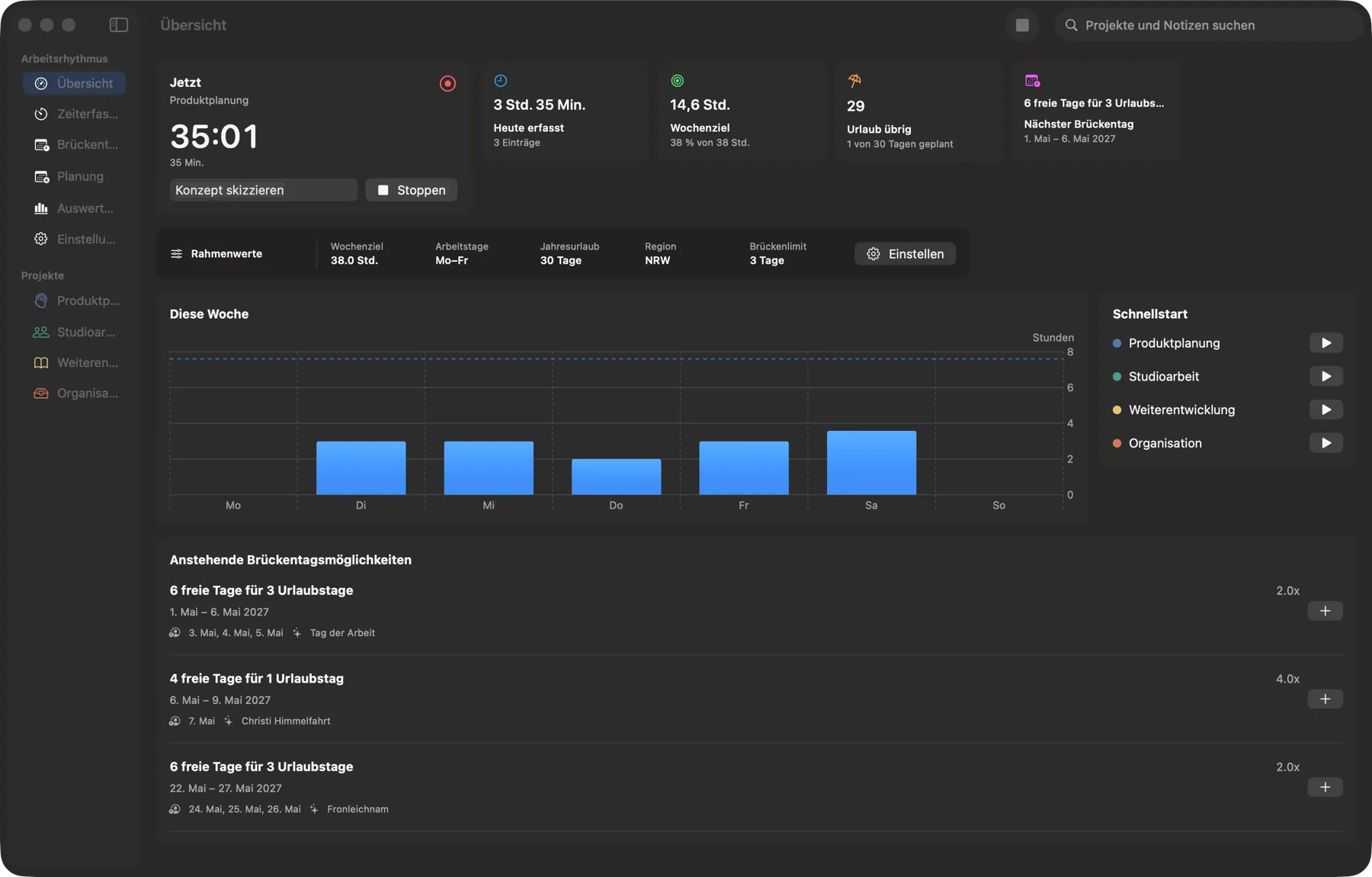
Instead of finding time in scattered lists, you see goals, progress, project shares and next steps together.
The active timer and a quick project start are always nearby.
Working time and your personal weekly goal sit side by side.
Reports arrange project time by week, month or year.
Time that belongs to you
Own Your Beat connects your workday with regional bridge days and a clear leave plan.
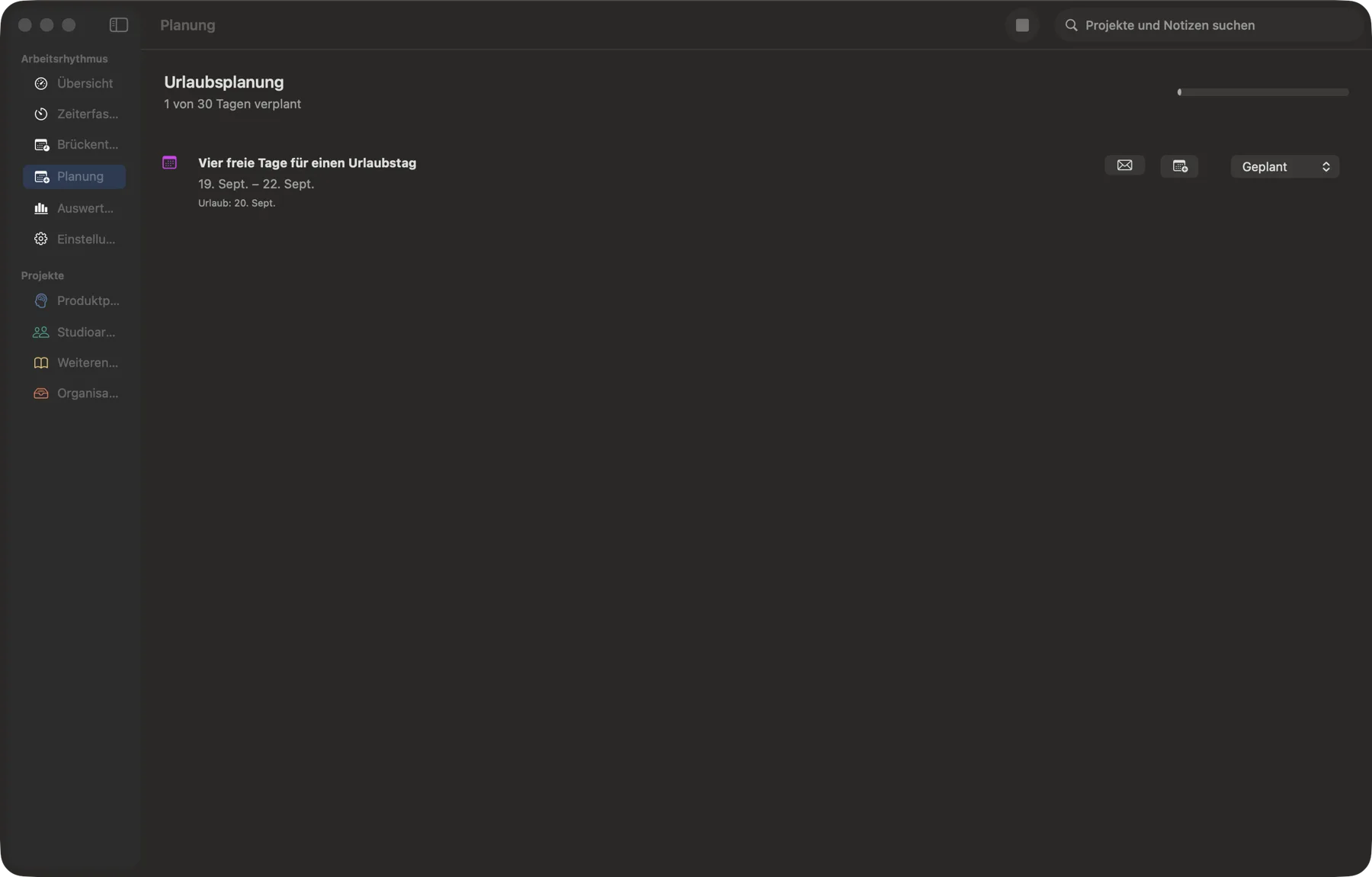
Bridge-day suggestions account for region, workdays and the limit you set.
Added periods show how much of your annual leave is already planned.
Optionally, a free period can become a calendar entry.
For leave days, the app can open a pre-filled email draft.
Your data stays with you
Own Your Beat needs no account and does not send recorded app data to its own servers.
Projects, time and plans stay locally on your Mac. The app contains no tracking or advertising services.
CSV time entries can be imported after manual selection; JSON backups stay in your hands.
If enabled by you, the local NetBird connection can start or stop a timer for a selected project.
Try Own Your Beat
Find beta access, privacy information and help through the central OZverse pages.
Own Your Beat is a native macOS app.
No. Own Your Beat stores app data locally on the Mac and uses no own servers or tracking technologies.
When explicitly enabled, it can use the local connection status of an installed NetBird app to start or stop a timer for a selected project.
Own Your Beat is in beta. This page does not announce a fixed release date.